New York City Public Schools

Welcome to Everway

Students and staff in New York City Public Schools now have access to Read&Write, supporting literacy growth and empowering lifelong learning.

Together, we’re equipping you with the skills and confidence to adapt, thrive, and make meaningful contributions to your communities and beyond.

Please note: This is the dedicated NYC Public Schools landing page. Navigating away from it will take you to the main Everway (formerly Texthelp) website.

A student using Read&Write on a laptop

Read&Write logo

Get started

Read&Write is a literacy support software that provides reading, writing and study skills tools for students of all ages and abilities.

chrome logo

NYCPS
Chrome Training

Discover how to use Read&Write for Chrome to support literacy and accessibility for all learners.

Mac logo

NYCPS iPad Training

Discover how to use Read&Write for iOS to support literacy and accessibility for all learners.

Choose your journey

IT / Administrators

Two team members looking at a screen

ULS Onboarding and implementation

Get started as an administrator

Find all the essentials for a successful implementation of Unique Learning System. You'll also find information on effective training and support channels. These are all designed to help with adoption and enhanced learning experiences.

Educators

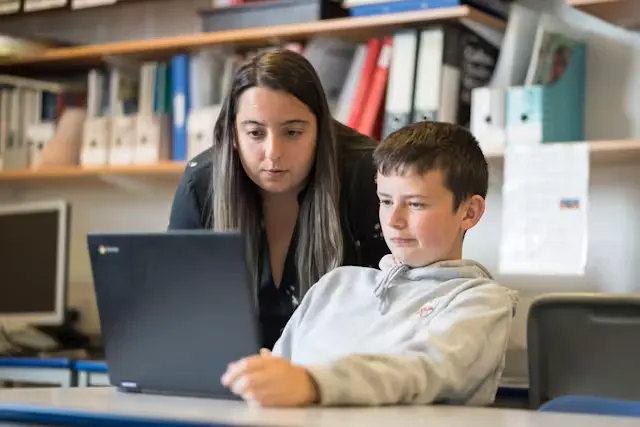
A teacher and a student looking at a laptop screen

Getting started with Read&Write

This guide walks you through the best way to use the learning resources in the Read&Write Academy.

You and your colleagues can get to know Read&Write by reading the whole guide, or just dipping into the sections that are relevant to you.

Training courses

Students

A teacher and a student looking at a laptop screen

Scavenger hunt

Use Read&Write tools to complete the scavenger hunt and build your skills.

Parents and caregivers

Woman smiling and talking with another woman sitting at a table.

Personal device and take home guides

This section provides comprehensive guides for learners who need to install Read&Write on their own personal devices. This means that they can access Read&Write's powerful tools at home.

Simply choose the platform you would like to use Read&Write and start your journey

Also included in your Read&Write access

OrbitNote extends the power of Read&Write by helping students and educators work more effectively with PDFs, assignments, and digital documents.

With OrbitNote, users can:

  • Listen to PDFs and digital documents read aloud
  • Highlight and extract key information
  • Add text, voice, and picture comments
  • Complete assignments digitally
  • Support independent reading and active study skills

Having trouble getting started?

If you’ve got any questions about how to install or use your Everway tools, our team is here to help.